


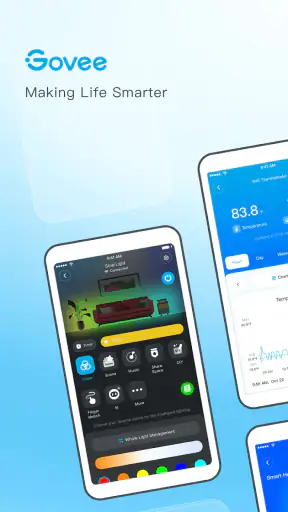
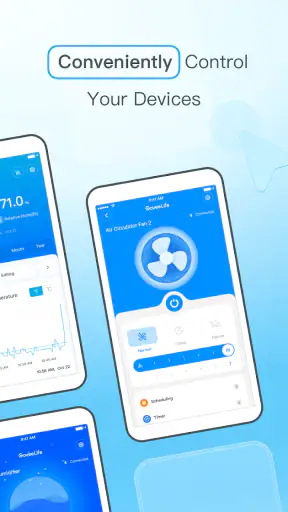
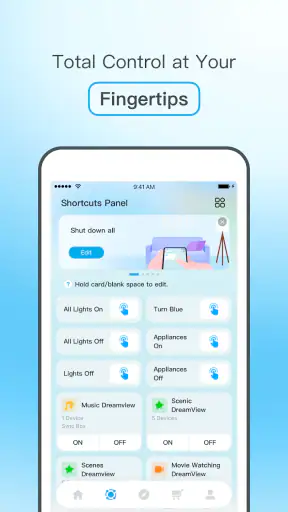
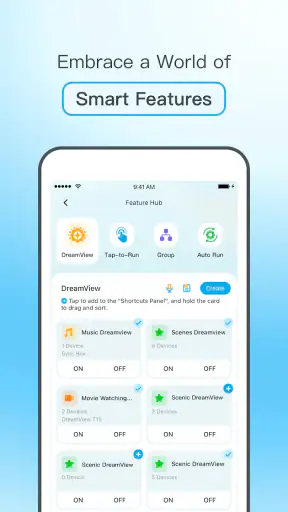

I approached Govee Home as the control point for Govee smart devices rather than as a general smart-home dashboard. That distinction matters. The app is free, aimed at Everyone, and belongs in the Tools category, but its usefulness depends heavily on how well your phone, home network, and Govee hardware work together. When that relationship is smooth, it can make lighting and other compatible devices feel much easier to manage. When connectivity gets in the way, the experience becomes more about troubleshooting than control.
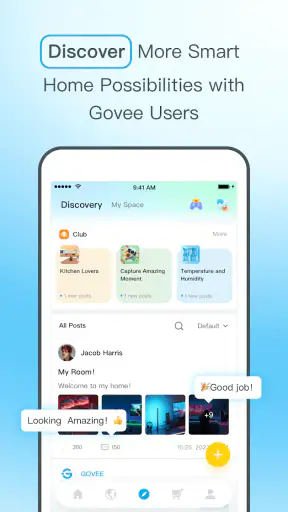
After spending time with the app, my impression is that it is most valuable for people who already own several Govee products or plan to build around that brand. It gives those devices a common place to configure and operate them instead of making me jump between separate controls. I would not recommend installing it simply because you want a universal smart-home solution. Its strongest qualities appear when Govee equipment is at the center of your setup.
How Govee Home feels when connectivity is part of every action
The first setup is less about the app than the connection around it
The initial experience makes one thing clear: Govee Home is not a self-contained tool. It is the mobile layer between you and compatible hardware. The phone needs to discover or communicate with the device, and the device needs to remain reachable for commands to feel immediate. That can make the first few minutes more involved than opening an ordinary utility app.
I found it helpful to treat setup as a small sequence rather than tapping through it quickly. I first made sure the device was powered, kept the phone close, and avoided moving through the house while trying to pair it. If a device does not appear immediately, repeating the same tap is rarely the best answer. Checking power, phone connectivity, and the device's current state is usually more sensible than assuming the app itself is broken.
This is one of the app's important trade-offs. A dedicated control app can understand its own brand's devices more closely than a broad platform, but it also gives you fewer escape routes when communication fails. With Govee Home, the quality of the experience is tied to the quality of the connection between the phone, the device, and the network environment.
Why a reliable network changes the daily experience
Once everything is reachable, the app becomes much more convenient. I can use the phone as a central remote instead of searching for a physical controller or remembering which device uses which control method. That is particularly useful when several Govee products are spread across different rooms.
The benefit is not just having buttons on a screen. It is the reduction in small decisions. I do not need to wonder whether I am controlling the bedroom light or the living-room setup if the devices are named clearly. I strongly recommend using names based on location and purpose rather than leaving several similar devices with vague labels. That small organizational step prevents accidental changes and makes the app faster to use when I am in a hurry.
Network delays are more noticeable when I am making quick adjustments. A command that takes a moment to reach the device can feel minor during setup but irritating when I am trying to dim a light before bed or change the atmosphere while watching something. I learned to pause briefly after sending a command instead of tapping repeatedly. Repeated inputs can make it harder to tell whether the app is slow or whether several commands are simply arriving one after another.
A realistic evening use case
One everyday situation shows where the app earns its place. I might return home, open Govee Home, and adjust a light without walking from room to room to find a controller. Later, I can make a second change from the sofa, then switch the setup again before going to sleep. The value is not dramatic; it is the accumulation of these small conveniences.
That scenario also exposes the limitation. If the home network is unstable, the same routine becomes awkward. I may wait for a device to respond, reopen a screen, or check whether the command actually went through. For me, this means the app is excellent when the network fades into the background, but disappointing when connectivity becomes the main thing I notice.
Using it away from home requires realistic expectations
The idea of controlling a device from outside the house is appealing, but I would not judge the app only by that promise. Remote use depends on more than the phone application itself: the device must remain powered, the home must remain connected, and the service path between the phone and the home must function properly. If any part of that chain is unavailable, the app cannot provide a dependable experience.
For that reason, I see remote access as a convenience rather than something I would rely on for an important task. It can be useful for checking or changing a setup before arriving home, but I would not build a safety-critical routine around it. Smart lighting and comfort controls are one thing; anything that needs guaranteed operation deserves a more dependable backup.
Mobile use is convenient, but not always effortless
The app makes the most sense on a phone because the phone is usually already with me. I can make a change while carrying groceries, sitting at a desk, or lying in bed. That immediacy is the main reason I prefer a mobile control app to keeping a separate remote for every device.
There is a cost, though. Physical controls are often faster for one familiar action. If I only want to turn something on or off, reaching for a nearby switch may be simpler than unlocking a phone, opening the app, waiting for the device view, and sending the command. Govee Home becomes more compelling when I need selection, adjustment, or management across multiple devices rather than a single basic toggle.
I also found that phone placement and attention matter. In a busy room, I may open the app while doing something else, send a command, and assume it worked without checking. That is fine for a casual lighting change, but it is a poor habit when the result matters. I prefer to make one change, watch for the device response, and only then move on.
Organizing several devices saves more time than any single control
With one device, almost any control method can feel adequate. The real test comes when the number grows. Govee Home is more useful when I treat it as an inventory as well as a remote. Clear names, sensible room groupings, and a consistent naming style make a bigger difference than constantly searching for new settings.
My practical approach is to name devices by room first and function second. A label such as “desk light” is more useful than a generic product name when I am tired or viewing the app quickly. If two devices have similar names, adding a position such as window, shelf, or bedside helps avoid mistakes. This is a simple workflow, but it is one of the most valuable improvements a user can make without buying anything else.
There is also a trade-off between a tidy structure and a highly detailed one. Too little organization makes the list confusing; too much naming detail makes labels difficult to scan. I would keep names short enough to recognize at a glance and use the same pattern throughout the home.
What happens when a command fails
Connectivity problems are the part of the experience I would prepare for before recommending the app to someone. A device may appear unavailable, a command may take longer than expected, or the app may not show the state I believe the hardware is in. These moments are not necessarily evidence of a serious fault, but they do interrupt the sense of control.
My recovery routine is deliberately boring. I check whether the device has power, confirm that the phone is connected, move closer during discovery or pairing, and give a command a little time before trying again. If the device still does not respond, I avoid changing several settings at once. That makes it easier to identify whether the problem is with the device, the network, or the app session.
Restarting everything immediately can sometimes hide the actual cause. I prefer to change one variable at a time: check power, then check the phone connection, then retry the device, and only afterward consider reopening the app. This approach is slower during the first failure but usually less frustrating than repeatedly resetting unrelated parts of the setup.
Recovery is easier when you plan for manual control
I would keep a simple fallback in mind for every important device. If I need a light to work at a particular moment, I do not assume that the phone app will always be available. A physical switch, the device's own control, or another established method can be useful when the phone is unavailable or the network is having trouble.
This is not a criticism unique to Govee Home; it is the normal weakness of connected control. The app adds flexibility, but it also adds another layer that can fail. The best setup is one where the app improves convenience without becoming the only way to operate something I use every day.
Using the app without creating unnecessary digital clutter
The app is free, which removes an obvious barrier to trying it, but free does not mean frictionless. A sensible user should still think about how much of the phone experience they want devoted to smart-device management. I would keep notifications and background activity limited to what I genuinely need rather than allowing every possible alert to compete for attention.
I also prefer to make changes while connected to a network I trust, especially during setup. Public or crowded networks can introduce variables that are difficult to diagnose, and I do not want to solve a pairing problem by making the process more complicated. At home, a stable private connection is the most straightforward environment for managing these devices.
Another practical habit is to review the device list occasionally. Removing old or unused entries keeps the app easier to understand and reduces the chance of sending a command to the wrong item. This matters more in a home where devices are moved, replaced, or given to someone else. A clean list is part of good data hygiene, even when the main purpose of the app is lighting or home control.
Who will appreciate it most
I think Govee Home is a good fit for someone who owns multiple Govee devices and wants one brand-focused place to manage them. It is also suitable for users who enjoy adjusting their environment from a phone and are comfortable with connected hardware. The app's free price makes it easy to test without committing money before deciding whether the workflow suits you.
The audience is broad enough to include casual users, and the Everyone age rating reflects that approachable positioning. Still, “easy to use” does not mean “independent of setup.” Someone who dislikes network troubleshooting may find the connected nature more important than the controls themselves.
I would be more cautious about recommending it to a person who wants one application to manage devices from many unrelated brands. A brand-specific app can be the better choice for detailed control of that brand's products, while a broader smart-home platform may be preferable for mixed equipment. The right choice depends on whether consistency within Govee matters more than having one universal dashboard.
Where the usual alternatives can be better
The simplest alternative is often the device's physical control. It wins for immediate, predictable actions and does not require me to locate my phone. A voice assistant may also be faster for a small number of familiar commands, while a broader home platform can be more attractive if my household already uses several brands together.
Govee Home has a different advantage: it keeps the Govee experience in one place and avoids forcing every product into a generic control model. That can make brand-specific management clearer. The downside is that I may end up maintaining more than one app if my home includes equipment from other manufacturers.
My advice is to choose based on the center of your setup. If Govee is the main ecosystem, this app is the natural starting point. If Govee is only one small part of a mixed smart home, compare the convenience of its dedicated controls with the simplicity of your existing central platform before making it your daily default.
What the current release means for compatibility
The app is currently at version 7.6.10 and supports devices running Android 9 or later. That gives Android users a clear baseline to check before installing. I would also keep the operating system and the app reasonably current, because connected-device problems can be difficult to separate from an outdated mobile environment.
Govee is the developer behind the app, which is reassuring when the main purpose is managing Govee hardware. The application has been available since July 2, 2018, and its continued presence suggests that it is intended as an established part of the brand's device experience rather than a temporary companion utility.
How much confidence should you place in its popularity?
The app has passed five million installs, with an average rating of 4.0 from around twenty-eight thousand ratings and roughly five thousand nine hundred written reviews. Those figures tell me that it has a substantial user base, but they do not remove the need to consider personal fit. A popular app can still be inconvenient if your network is unreliable or your home contains mostly non-Govee products.
I read the rating as a sign of a generally useful but not universally effortless tool. That matches my own view: the app can make compatible devices much easier to manage, yet the connected setup introduces points of friction that a basic remote does not have.
My connectivity verdict
Govee Home succeeds when I judge it as a focused companion for Govee smart devices. It turns a collection of compatible products into something I can manage from one mobile location, and it is especially practical when I use several devices across different rooms. The strongest improvements come from good organization, patient setup, and a reliable home connection rather than from simply installing the app.
I would recommend it to Govee owners who want phone-based control and are willing to accept that network availability is part of the experience. I would skip it as a primary solution if I want a universal controller for every smart-home brand, dislike troubleshooting, or need a control method that remains dependable without relying on connected communication.
My final opinion is positive but conditional: the app is most useful when connectivity disappears into the background. Keep a fallback for important devices, name everything clearly, and treat remote control as a convenience rather than a guarantee. With those expectations, Govee Home is a practical free tool for bringing Govee equipment together without pretending that a phone app can eliminate every weakness of a connected home.


